Talbot Is Project Memory, Not Just Another AI Chat
2026-05-06
Most AI coding tools feel impressive for ten minutes and unreliable after ten days.
They answer a question, draft a patch, maybe summarise a file and then the same problems return:
- they forget how your project actually works
- they regenerate the same throwaway automation
- they scatter useful context across chat logs
- they treat the model like the product instead of treating the workspace like the product
Talbot is being built as the memory layer for project work inside Developer Dashboard, not as another isolated chat window.
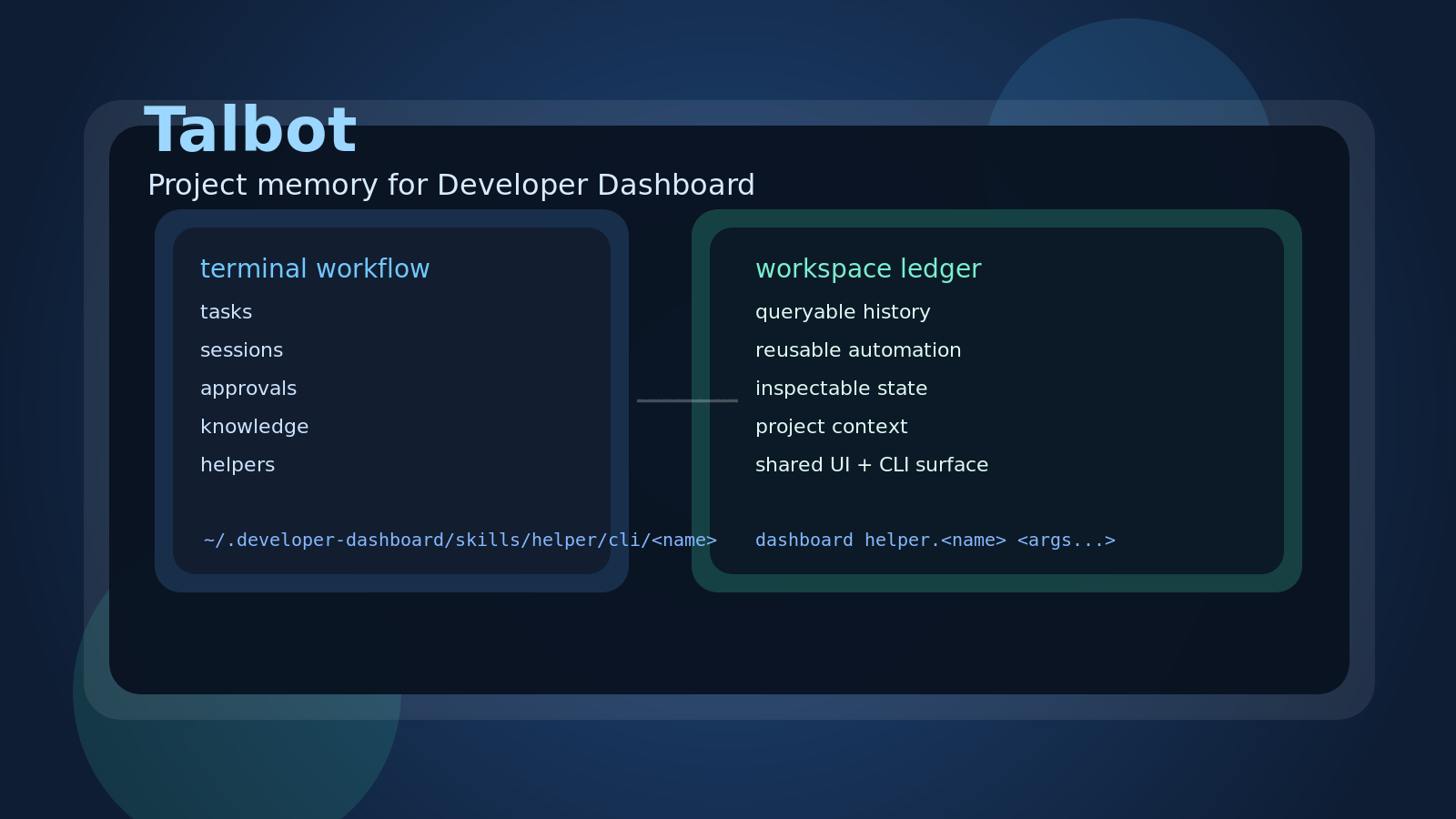
The point is not to make the chat box smarter in isolation. The point is to keep useful state, repeatable automation and visible history inside the project where they can still be inspected tomorrow.
If you have not read the Developer Dashboard context yet, start with these first:
- Introducing Developer Dashboard: A Terminal-First Workspace for Local Developer Operations
- How Developer Dashboard Layers Context, Skills, Pages and Runtime
- What Changed Since "Layers, Context, Skills, Pages and Runtime"
The Real Problem Talbot Is Aiming At
There is no shortage of AI tools that can talk, autocomplete or produce one more patch.
The gap is elsewhere.
Long-running projects need an assistant that can remember why work was done, leave behind something reusable and make its actions inspectable without forcing the user to reconstruct everything from an old chat tab.
That is the direction Talbot is taking.
The core idea is simple:
your project should keep the memory, not the chat tab.
Why Being Built On Developer Dashboard Changes The Shape
Talbot is not being built as a standalone AI app that later needs a terminal, a dashboard and a control surface bolted onto it.
It starts inside Developer Dashboard, which already provides:
- structured skill commands
- browser panels
- collectors and indicators
- reusable helper surfaces
- project-oriented workflows instead of isolated conversations
That changes the job Talbot needs to do.
It does not need to reinvent the workspace before it can become useful. It can focus on preserving project memory, turning repeated actions into reusable tools and keeping state visible enough for technical users to trust it.
A Better Rule For Repeated Automation
Most coding agents still follow a disposable loop:
- read some files
- decide what to do
- generate a one-off script
- forget the result unless the user preserves it manually
Talbot should push in a different direction.
If the same automation keeps showing up, it should be turned into a reusable Developer Dashboard helper instead of being rewritten forever.
That gives repeated utility work a durable home such as:
~/.developer-dashboard/skills/helper/cli/<name>
So later, the user or Talbot can invoke the same work through a stable command surface:
dashboard helper.<name> <args...>
That is a better outcome than spending tokens to recreate the same glue script for the fifth time.
The Memory Model Matters More Than The Model Hype
Talbot is aimed at users who care about what survives after the answer is generated.
That includes things like:
- remembered decisions inside the workspace
- queryable session and task history
- reusable commands instead of disposable shell fragments
- visible approvals and execution state
- enough transparency to inspect what actually happened
The model still matters, but it is not the centre of the system.
The workspace is the centre.
What Talbot Can Already Prove
Talbot is still incomplete against the full design, but the current slices are enough to show the intended shape.
Right now that includes:
- workspace initialization with
dashboard talbot.init - a local SQLite workspace ledger in
./.talbot - terminal entry points through
dashboard talbot.clianddashboard talbot.exec - knowledge import, export, search and listing
- provider, model, profile and route registry commands
- direct inspection of sessions, events, tasks and approvals
- browser inspection panels on
/app/talbot - an early slash-command surface inside
talbot.cli
That list matters less as a feature checklist than as proof that Talbot is already being shaped around durable state, transparent inspection and DD-native workflow.
The Terminal And The Web UI Should Do Different Jobs
The terminal is where work starts fast:
- ask a question
- check the current project state
- switch the active model profile
- inspect permissions or approvals
- run a task directly
The web UI is where visibility gets easier:
- inspect sessions
- inspect events
- inspect tasks
- inspect approvals
- inspect knowledge
- inspect registry state
Talbot should let the terminal and the dashboard cooperate around the same workspace memory.
That is a better fit for real project work than forcing everything into a single conversation surface.
Who This Is Actually For
Talbot is not mainly for people who want a clever demo.
It is for technical users who want an assistant that works with the project instead of hovering above it:
- developers working in long-running codebases
- maintainers who care about traceability and approvals
- testers who need repeatable diagnostics
- solo operators who want terminal speed with better visibility
- teams that would rather keep state locally than trust a chat transcript to be the memory layer
That makes Talbot closer to a project-operating assistant than a generic coding chatbot.
The Useful Mental Model
The product direction is easier to understand if you think of it this way:
- the model provides judgement
- Developer Dashboard provides structure
- the workspace keeps memory
- the user keeps control
That is the bet.
Not "AI magic."
Not "just another chat."
Not "a code generator that forgets tomorrow."
Why This Direction Is Worth Building
The strongest part of the Talbot idea is not that it can answer a prompt.
Plenty of tools can do that.
The interesting part is the attempt to leave behind something durable:
- memory that belongs to the workspace
- automation that becomes reusable instead of disposable
- task and approval history that stays inspectable
- one operating surface that connects terminal work and browser visibility
For teams and solo developers who are tired of rebuilding context from scratch, that is a much better direction than another AI layer that vanishes when the tab closes.