What Changed Since "Layers, Context, Skills, Pages and Runtime"
2026-05-05
The last Developer Dashboard post explained the model: layered runtime roots, shared context, installable skills, pages and a local runtime that can follow you from home into project-specific work.
This update is for terminal-first developers already sold on the runtime model, but still waiting for the day-to-day workflow to feel dependable.
That is what has changed.
If you have not read the architectural follow-up yet, start here:
How Developer Dashboard Layers Context, Skills, Pages and Runtime
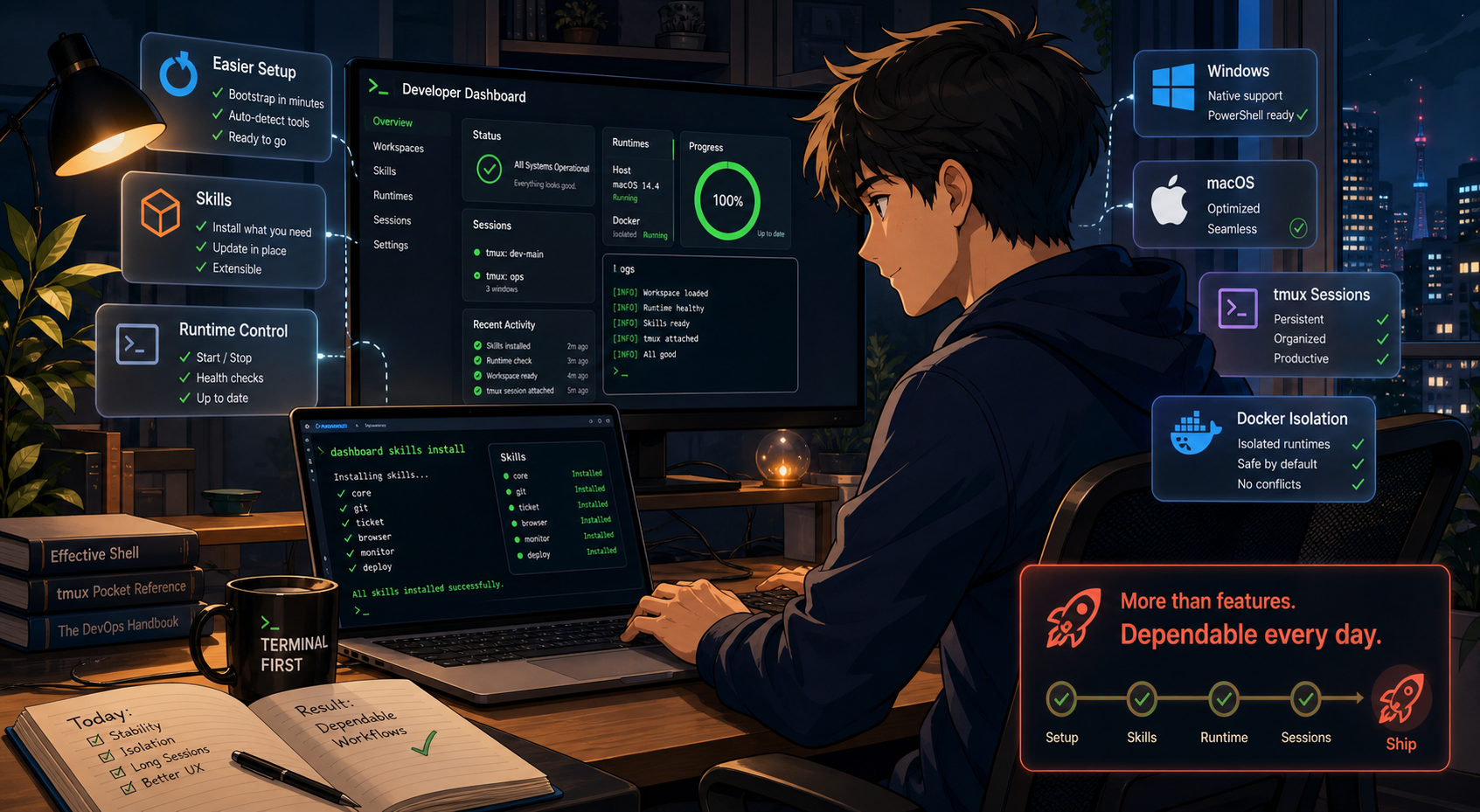
The recent Developer Dashboard work is less about one flashy feature and more about making setup, runtime control and long-running terminal work feel dependable enough to trust.
The Important Shift
The biggest change is not one giant feature. It is that more of the daily workflow now behaves like something you can trust on a real machine:
- clean installs are less brittle
- skill setup covers more real dependency surfaces
- long-running steps stop looking frozen and start showing which layer is actually working
- runtime control is less likely to interfere with sibling environments
- prompt and tmux-oriented workflows feel more operational and less improvised
That is the stage where a local developer platform starts becoming useful every day instead of merely interesting in principle.
Fresh-Machine Setup Improved First
Bootstrap quality matters more than another flashy feature because local tooling gets judged hardest on the day you try it on a blank host.
Windows now has a real installer path
There is now a PowerShell bootstrap flow instead of a vague "Windows should work" story:
irm https://raw.githubusercontent.com/manif3station/developer-dashboard/refs/heads/master/install.ps1 | iex
dashboard version
dashboard restart
dashboard logs
That matters because Windows support is no longer just issue-comment folklore. The project now covers package bootstrap, profile setup, command availability in fresh shells and smoke checks that make sure the basic operational commands are actually there after install.
For anyone moving between Linux, WSL and native Windows, this removes one of the fastest ways local tooling loses credibility.
Blank macOS hosts got less fragile
macOS setup also moved in the right direction. If Homebrew is missing, bootstrap no longer fails immediately and leaves the user to reconstruct the missing steps by hand.
That is the correct behaviour for a tool trying to become part of a repeatable workstation setup rather than a one-machine curiosity.
Skills Became More Like a Real Package Surface
The earlier post described skills as installable capability bundles. Since then, the install path has grown into something more operationally useful.
More dependency manifests are understood
Skill installs now support dependency surfaces such as:
aptfileapkfilednfilewingetfilebrewfilepackage.jsoncpanfilecpanfile.localMakefileddfileddfile.local
That matters because the dependency contract can now live with the skill instead of being scattered across README notes and remembered tribal steps.
wingetfile makes Windows skills far less awkward
wingetfile support matters because Windows package requirements can now be declared inside the skill itself while non-Windows machines skip that manifest cleanly.
That is the kind of detail that makes cross-platform skills maintainable instead of turning them into a pile of conditional setup instructions.
Makefile support pushes skills beyond toy installs
Some skills need more than package names. They need setup sequences, generated assets or post-install preparation.
Supporting Makefile in the install flow gives skill authors a place to express that setup without pretending every capability can be reduced to a flat package list.
Long-Running Skill Installs Are Now Legible
This is one of the most practical upgrades in the project.
dashboard skills install now behaves more like a Docker-style progress view:
- the high-level task board stays visible
- the active step shows rolling detail
- old log lines fall out instead of flooding the terminal
- successful steps collapse back into
[OK] - failed steps stop with the relevant context still visible
That sounds cosmetic until you spend time waiting on brewfile, npm, cpanm or make.
The actual improvement is that long-running work stops feeling like a hung terminal and starts feeling inspectable. You can see what is running, which layer owns it and where it failed if it breaks.
File and Route Behavior Got More Predictable
Developer Dashboard now does a better job of treating files as first-class things you can register and look up, not only directories.
That helps with a recurring terminal problem:
- you remember the filename, not the path
- you know the project, not the exact folder
- you want one stable command surface instead of shell-history archaeology
The same general cleanup shows up in skill-local routes as well. Bookmarks, Ajax handlers and static assets are more coherent, which makes richer skills feel self-contained instead of like special cases leaking into shared namespaces.
Core Runtime Control Got More Operational
The runtime side is also more complete than it was in the last post.
The useful changes are not abstract:
- scoped restart and stop behaviour
- scoped collector control
- better log access
- clearer status summaries
That is what makes a local developer platform feel like an actual control surface. The question is not only which commands exist. It is also what is running, what restarted, what failed and where the logs are when you need them.
Host and Container Runtimes Are Better Isolated
One of the most important fixes is runtime isolation between host and container environments.
The host runtime is now less likely to step on a Developer Dashboard runtime inside Docker that happens to be running similar collector or web processes.
That matters because the failure mode is severe: if a host restart command kills the wrong runtime, users stop trusting the tool immediately.
Fixing that class of bug is not glamorous, but it is exactly the kind of work required before a local runtime layer can be used comfortably on real machines.
d2 ticket Looks More Like a Daily Workflow
The tmux and ticket-session work also moved in a good direction.
d2 ticket is getting closer to the shape terminal-heavy users actually want:
- status that stays visible
- prompt context that does not drown the shell in noise
- session cues that support the workflow instead of fighting it
That is an important distinction. A terminal environment does not get better by showing more information everywhere. It gets better when the right status is visible at the right time without making the prompt obnoxious.
Why This Update Matters
The original architectural posts answered the question, "What is the model?"
This update answers the more practical question: "Is the model becoming dependable enough to use every day?"
Right now, the answer looks better because the project is improving in the areas that actually decide whether local tooling survives contact with real developer habits:
- setup on fresh hosts
- skill installation on mixed platforms
- visibility during long-running work
- safer runtime control
- cleaner terminal workflows
A Better Way To Evaluate It Now
If you want to evaluate Developer Dashboard seriously after these changes, the most useful checks are practical:
dashboard version
dashboard init
dashboard skills install browser
dashboard status
dashboard logs
Then test the cases that usually expose weak local tooling:
- install it on a blank machine
- install a skill with real dependencies
- restart or inspect only the runtime slice you care about
- mix host and container workflows and confirm they stay isolated
- use it inside tmux long enough to notice whether the prompt layer stays useful
That is where trust is earned.
More Developer Dashboard Posts
If you want the rest of the series, continue here:
- Introducing Developer Dashboard: A Terminal-First Workspace for Local Developer Operations
- How Developer Dashboard Layers Context, Skills, Pages and Runtime
- The browser Skill: Fast Playwright Checks Inside Developer Dashboard
Closing
Developer Dashboard is more interesting now than it was in the last post, not because the model changed, but because the rough edges around installation, skill setup, runtime control and terminal visibility are getting sanded down in the right order.
That is what turns a clever local tooling idea into something worth keeping in the daily workflow.